Maintenance
Recurring service, crew scheduling and renewals priced to your margin.

Most landscape companies run on three programs and a clipboard. Capstone is one system: customers, crews, renewals and billing, with design, estimates and construction drawings built in.
Draw the job once and Capstone builds the estimate, the 3D walkthrough and the construction drawings. When the customer says yes, the job goes onto the week and your crew’s phones.
A link to a working sample company arrives by email right away. It stays open for 14 days and needs no card.

Recurring service, crew scheduling and renewals priced to your margin.
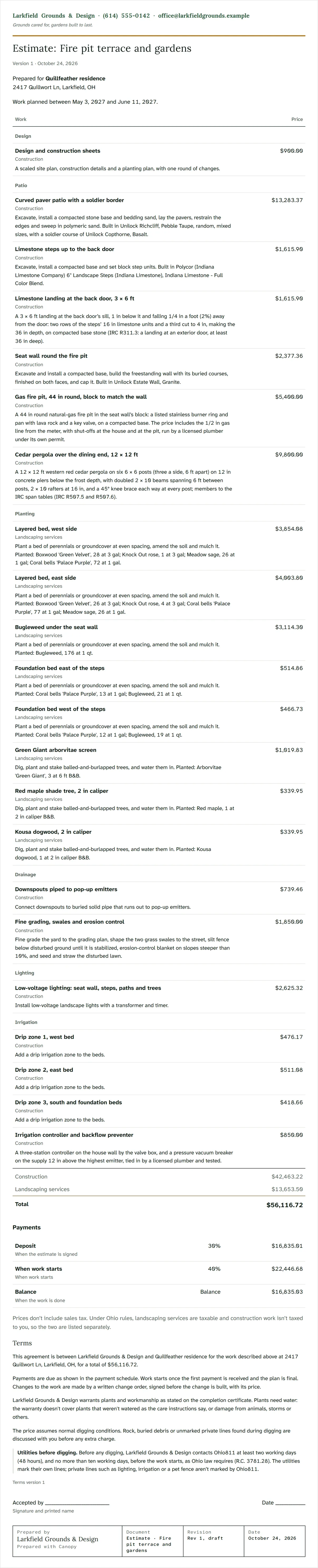
Plan, 3D presentation, estimate and drawing set, all from one drawing.
Storm logs by site, ready for a property manager or a claim. Bill seasonally, per storm or per push.
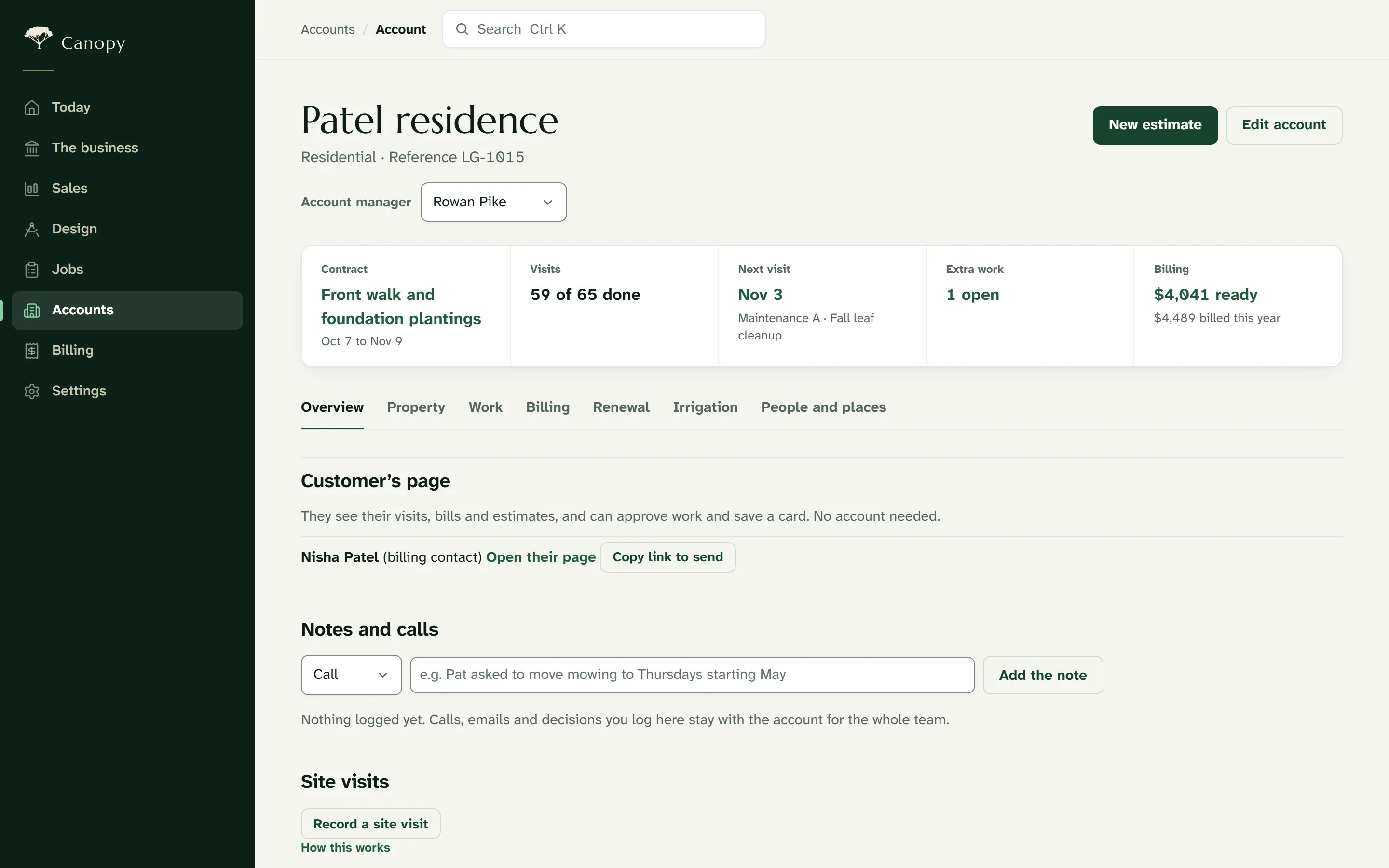
Customers, contracts, crews, renewals and billing in one system. Everyone starts on the work that’s theirs, and nothing is entered twice.
Maintenance and sales
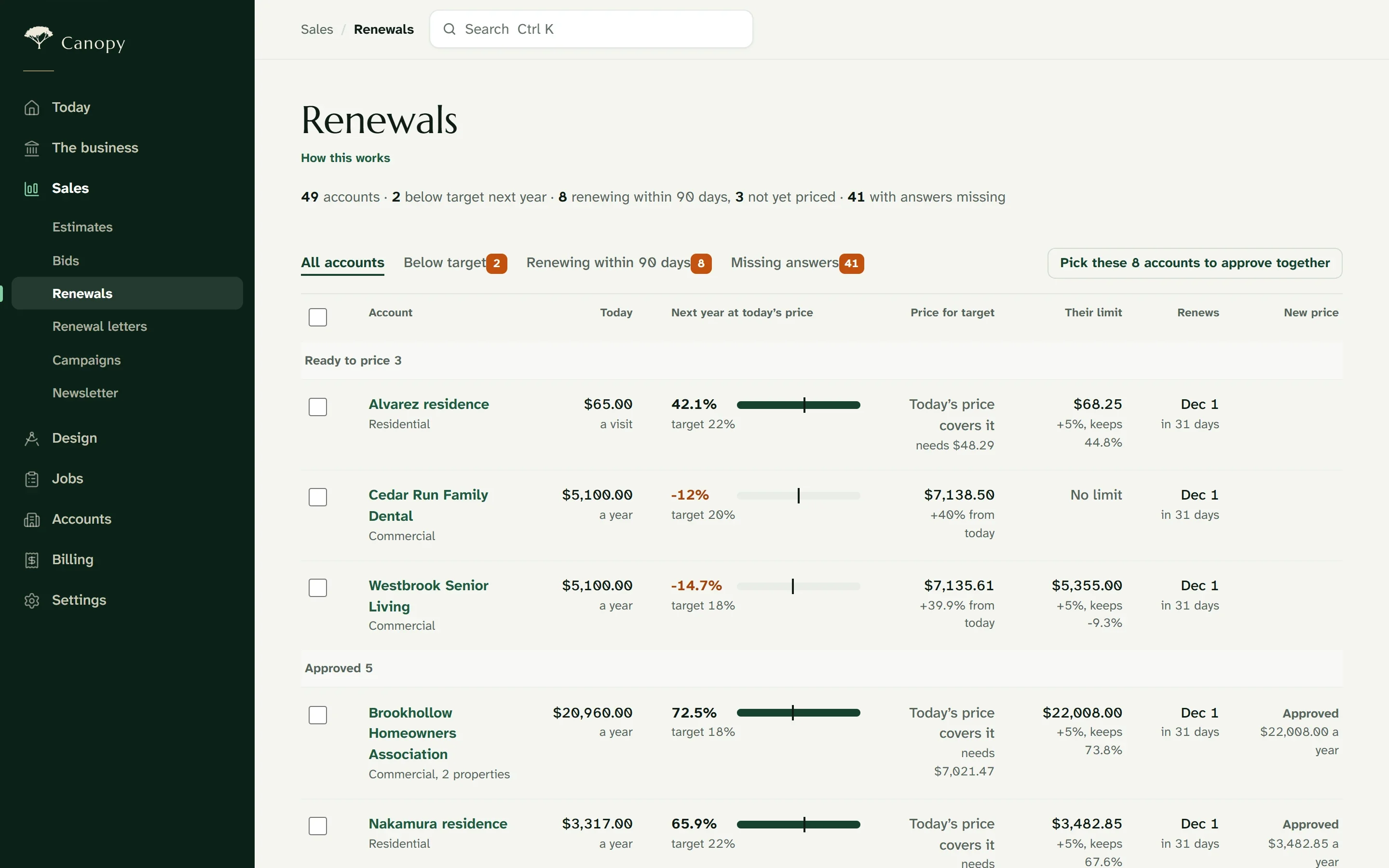
The Account Book shows every maintenance account’s margin for next year at today’s price, measured against your target. Reprice a group with one rule, approve them together, and send each customer a letter with the old and new price.
Production
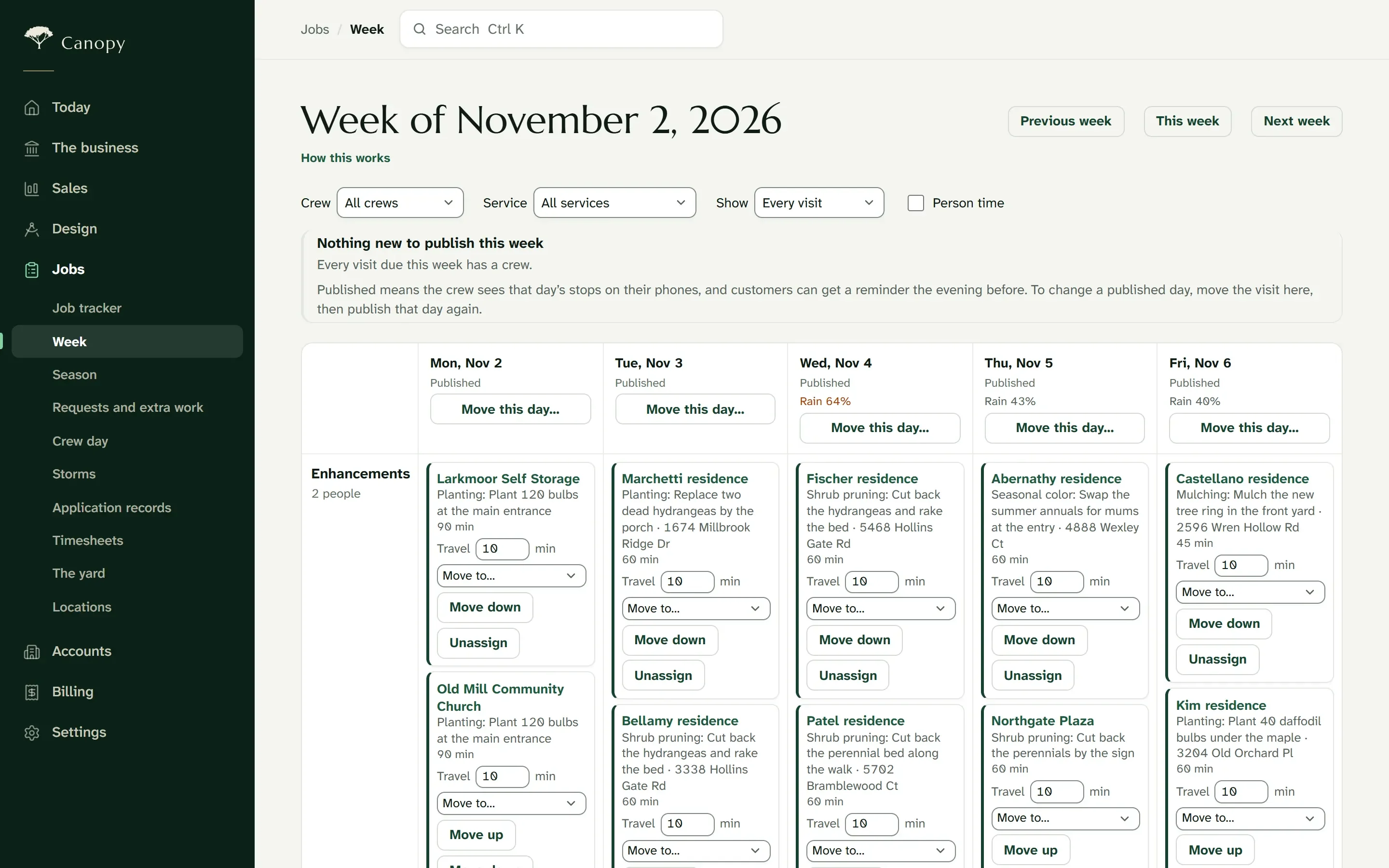
Every crew down the side, every day across, with the forecast for each day. Assign a visit and Capstone checks the crew’s hours, skills and equipment before you publish. When rain moves a day, the visits move with it.
Every design-build job gets a purchase list from its estimate, inventory from your yard and nursery, and a running job cost from the crews’ logged hours.
Office and sales
Each account brings together its properties, contacts, contracts, visits, estimates, invoices and messages. Requests arrive from the quote form on your website, and open estimates follow up automatically.
The crew
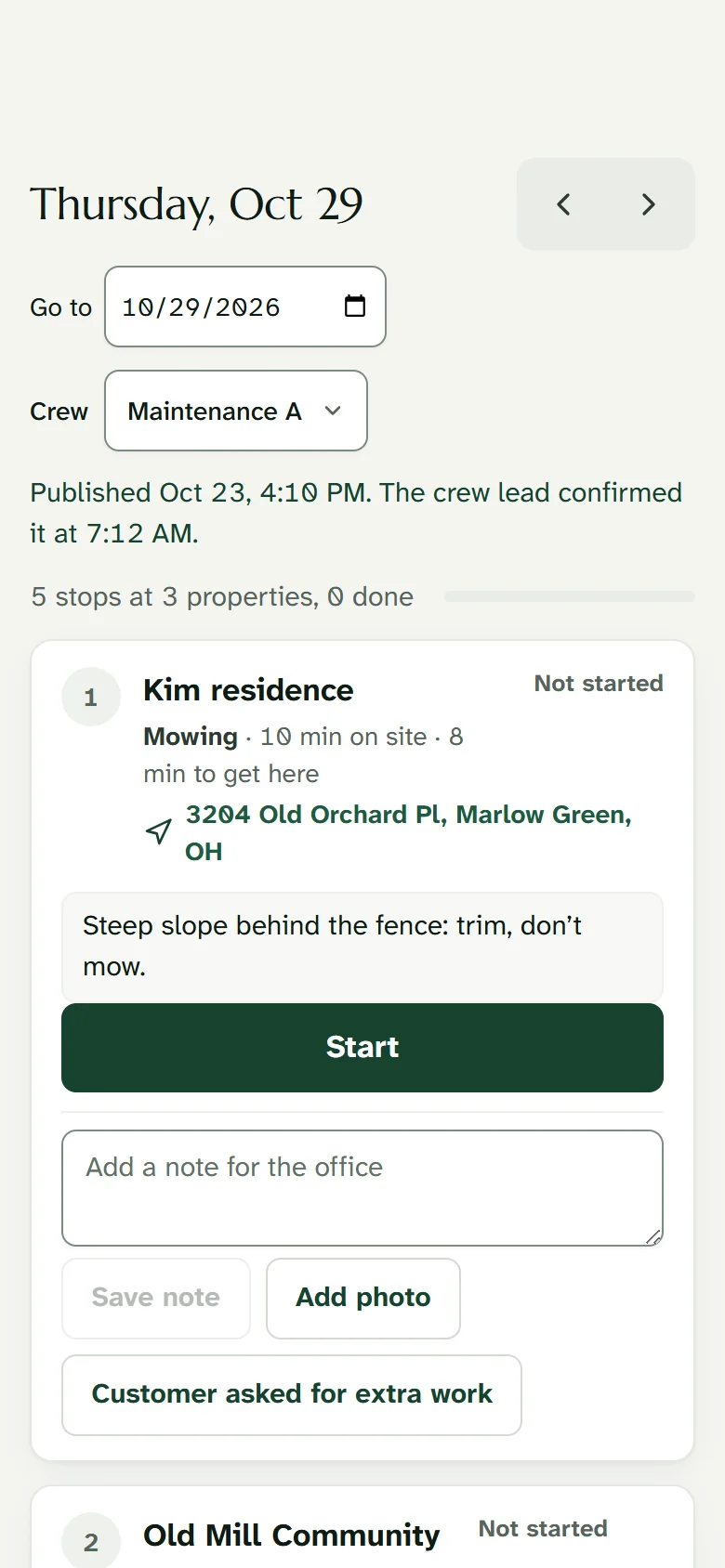
Crew leads see their day and nothing else: stops in order with access notes, photos, and each job’s plan, materials and punch list. It keeps working where the signal drops, and the owner can offer the crew’s screens in Spanish.
Your customers
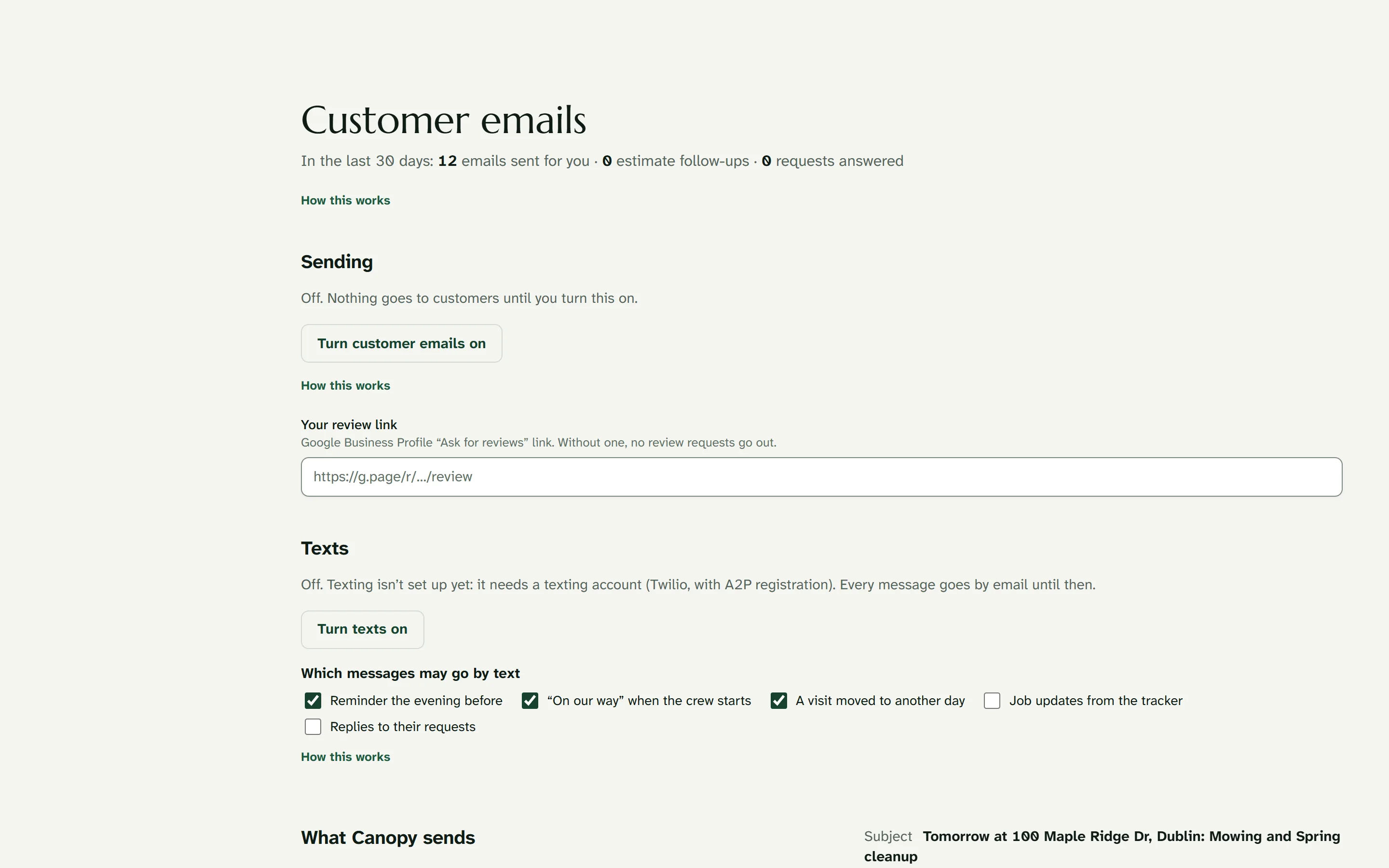
Each customer has a page with their visits, invoices and requests, the plan of what you built, and a simple way to ask for more work. A reminder goes out before each visit and a short report with photos afterward, in your company’s name.
Billing
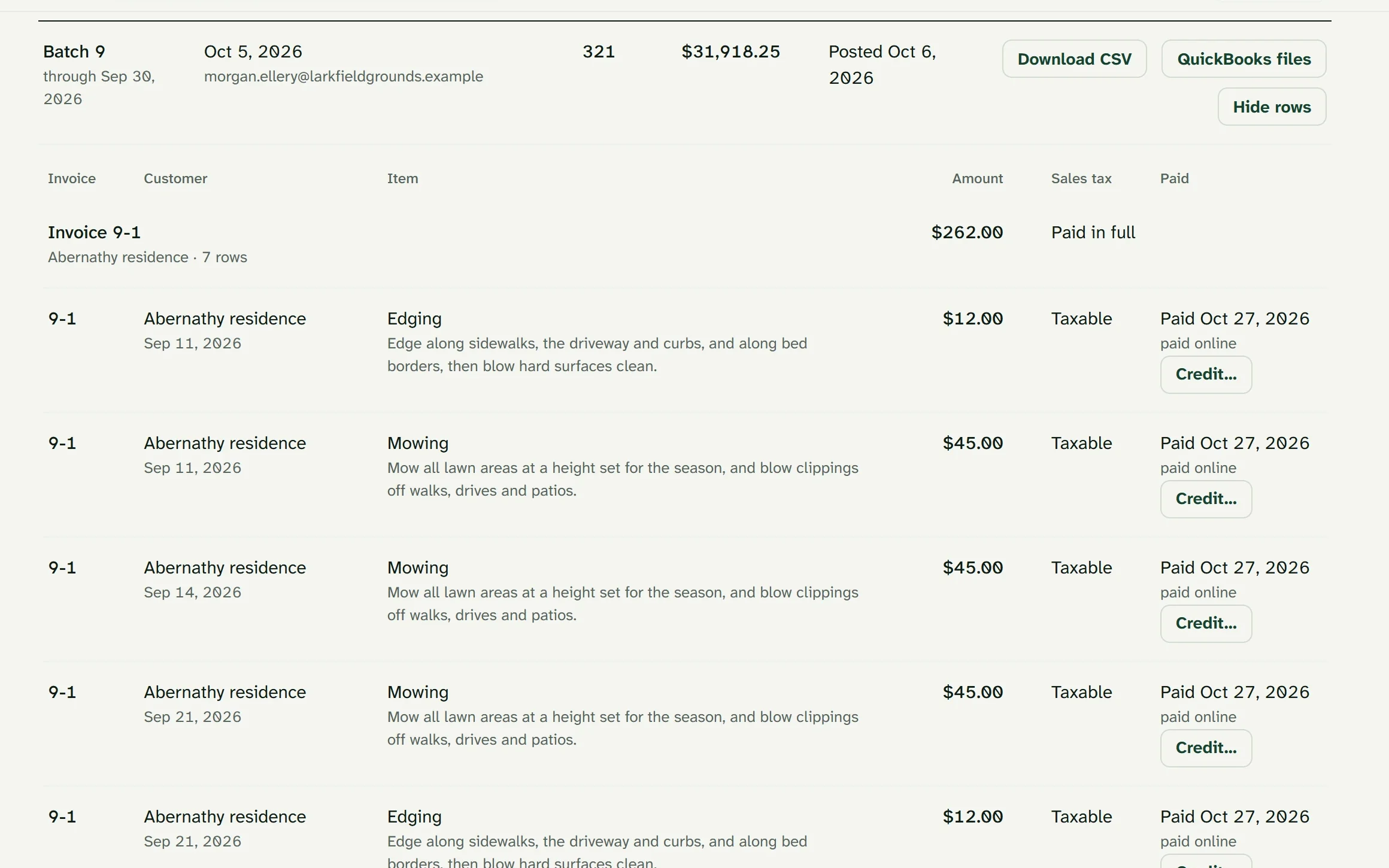
Completed visits, monthly installments, project milestones and approved extras collect in one place, ready to bill. Each batch exports to QuickBooks Online or Desktop. Customers pay by card or bank through your company’s Stripe account, with no markup on processing.
The owner
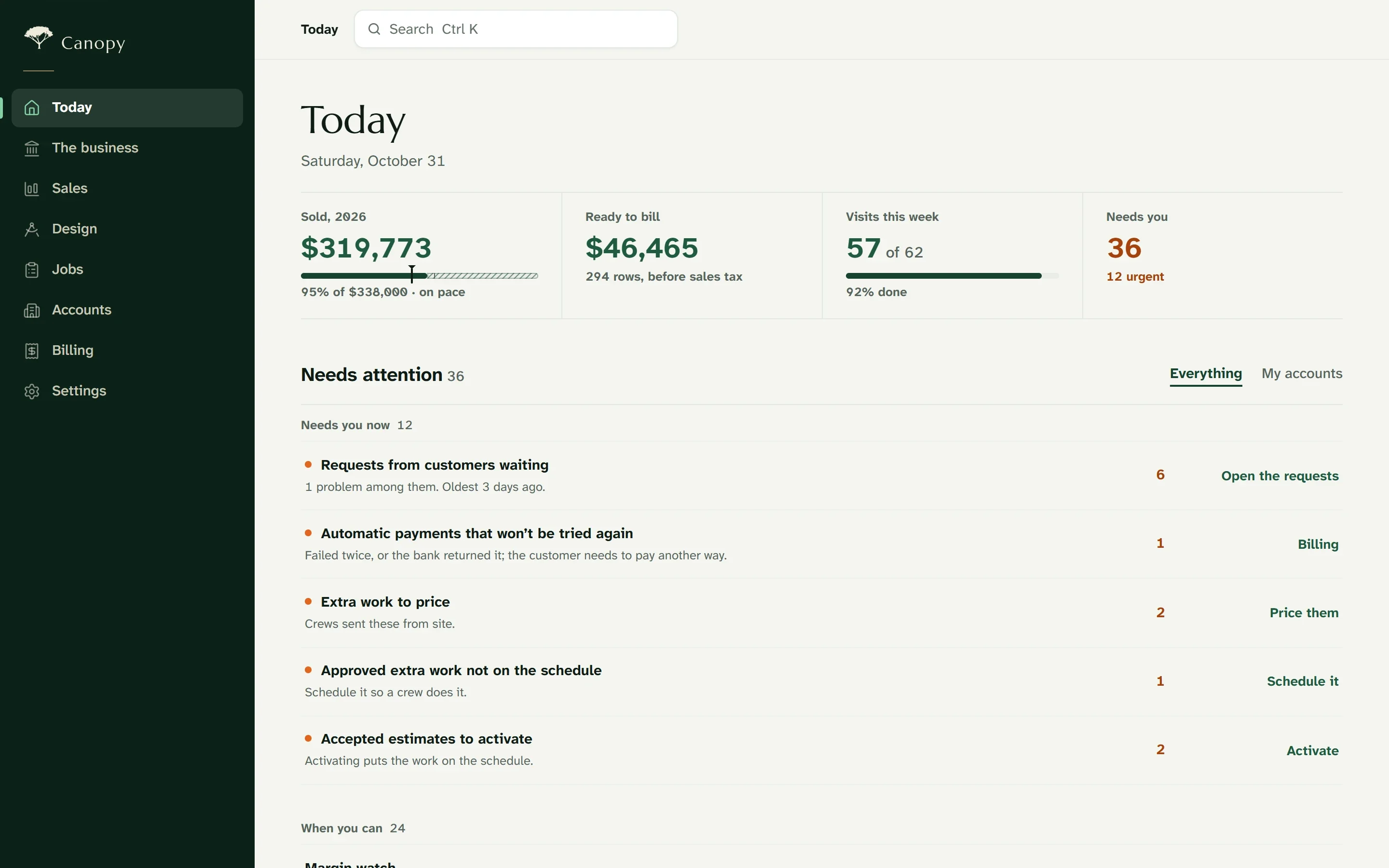
Home opens on what matters: sales against goal, work ready to bill, this week’s visits and everything waiting on someone. Every figure opens the records behind it.
Commercial and snow
Each storm is logged by site, with arrival and departure times, every return push, salt and ice melt, and before-and-after photos. The log prints for a property manager or an insurance claim.
Most landscape companies design in one program, run the business in another, and retype everything in between. In Capstone, the drawing is the estimate, the presentation and the construction set.
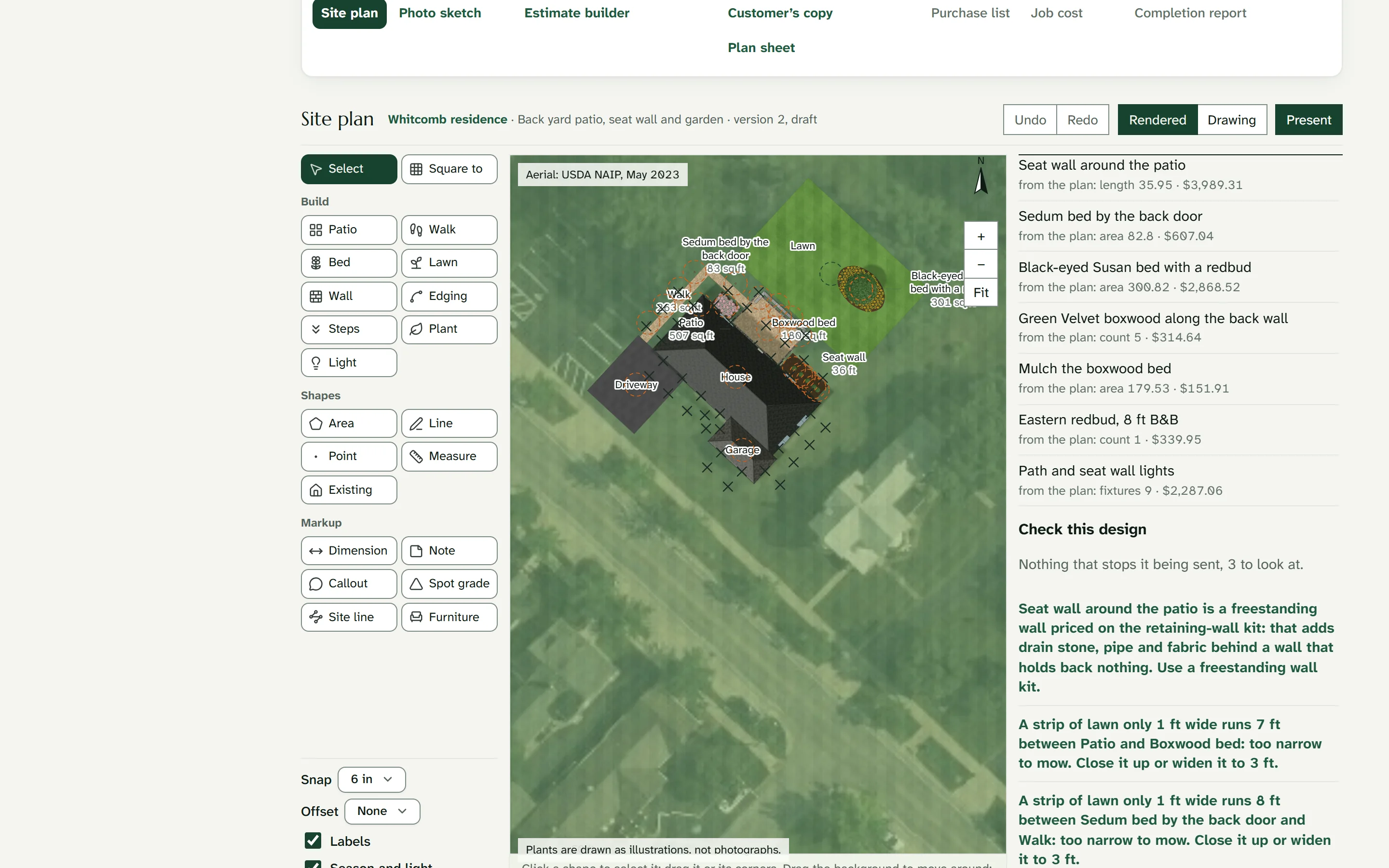
Draw to scale over the aerial photo of the property, using the products you install: pavers, wall block, plants and lighting.
Your kits, the saved recipes of materials and labor for each kind of work, turn every shape into a price from your own price list. Change the design and the estimate updates with it.
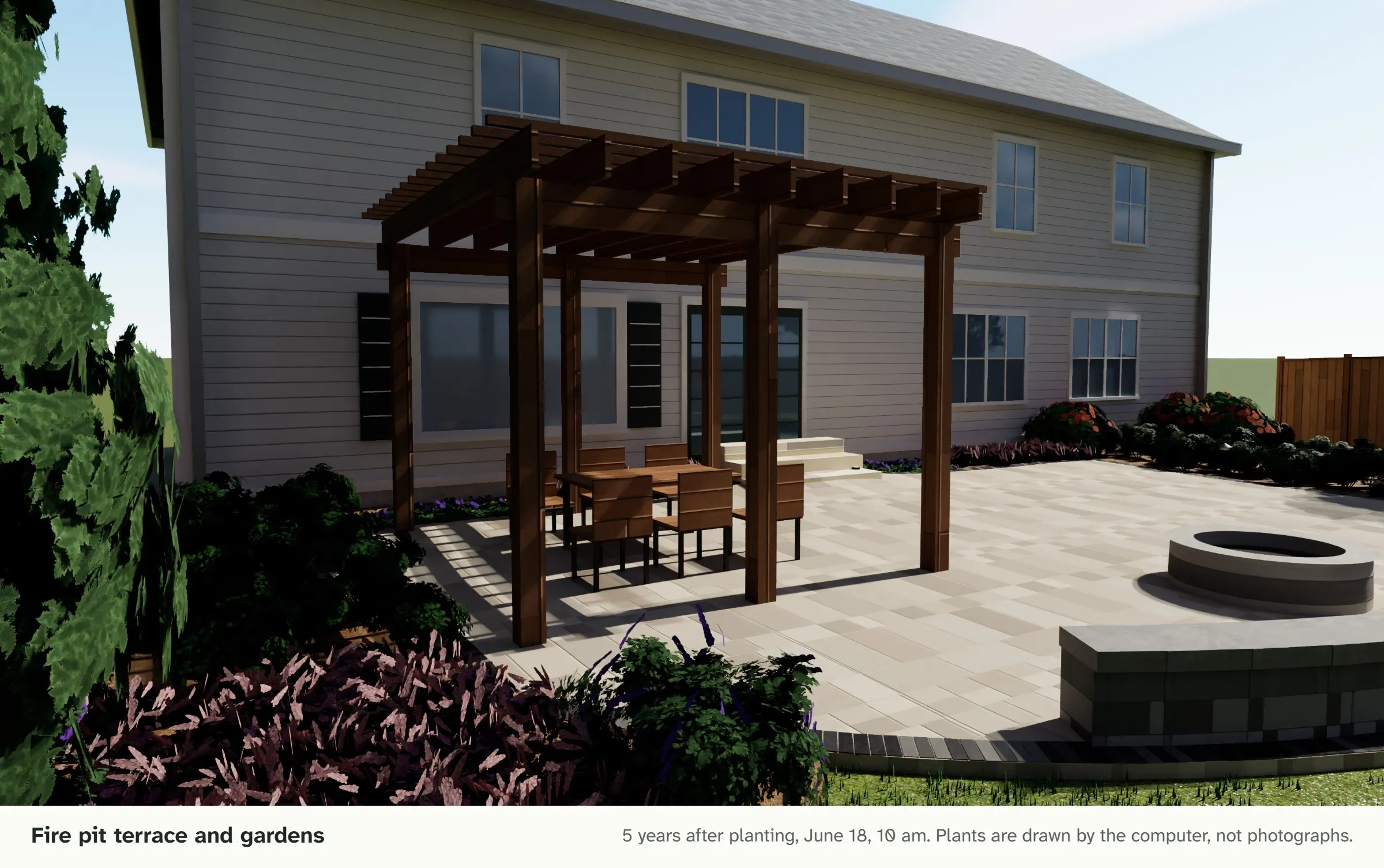
Customers walk through the design in 3D, see it through the seasons and as it matures, and sign the estimate from their phone.
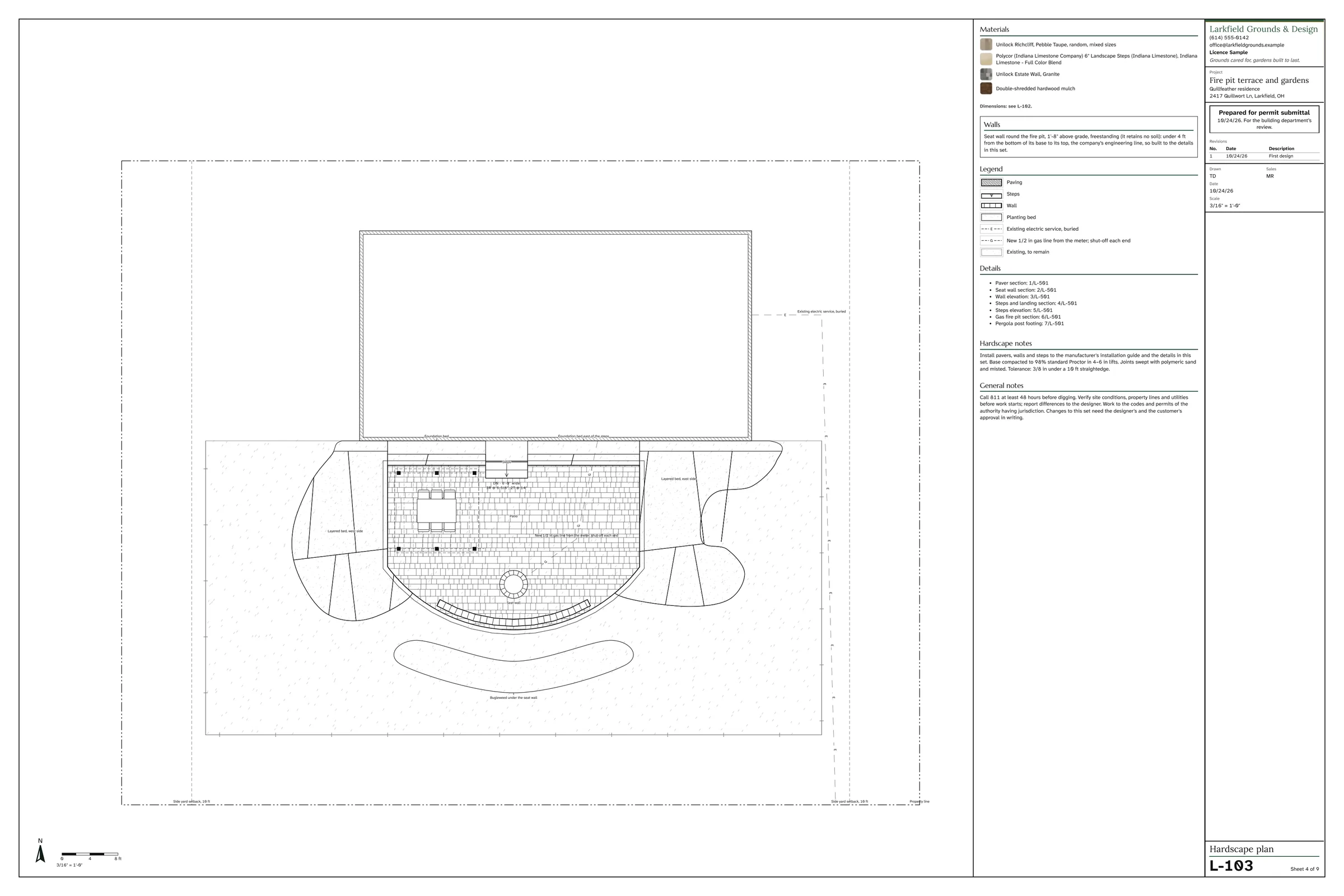
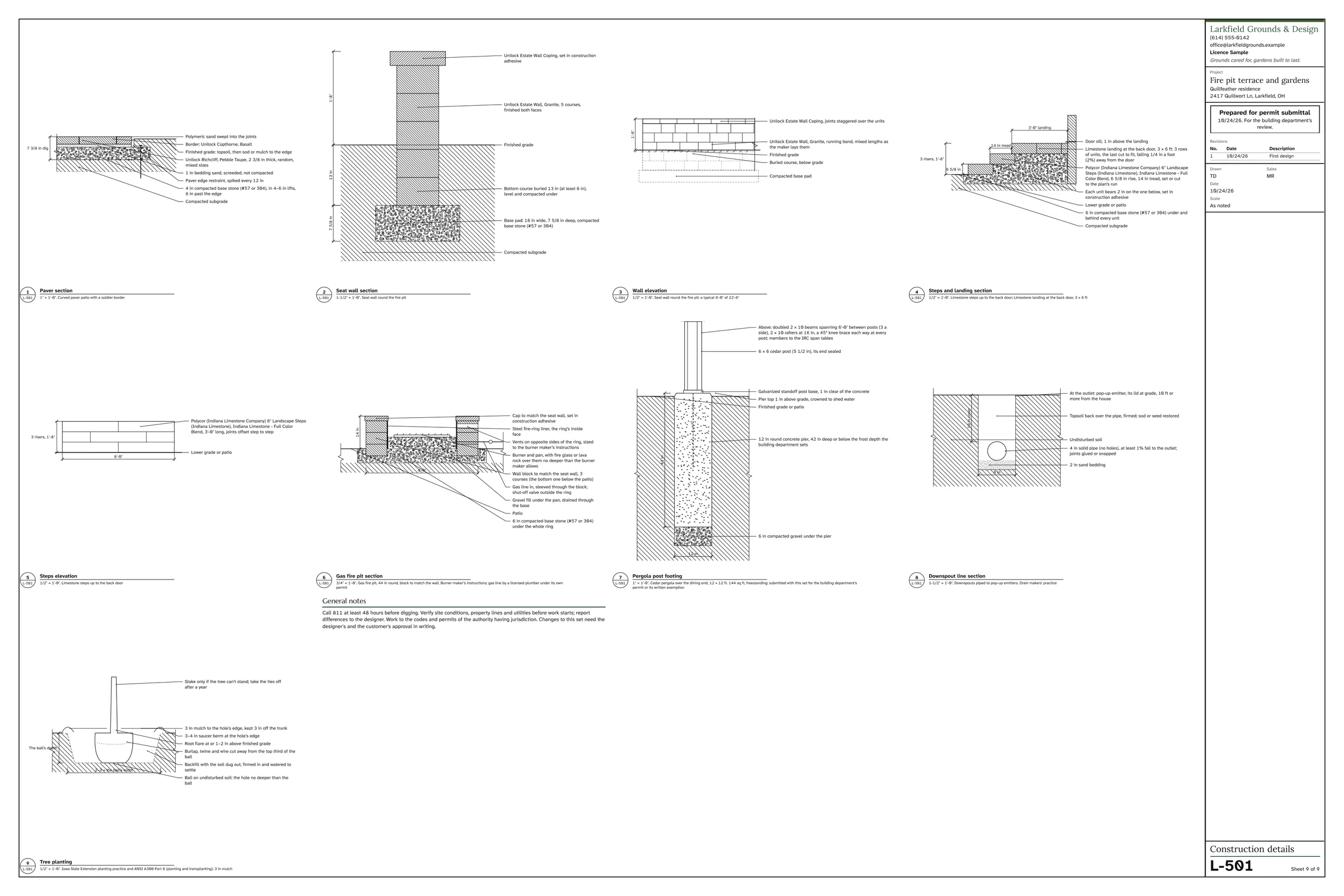
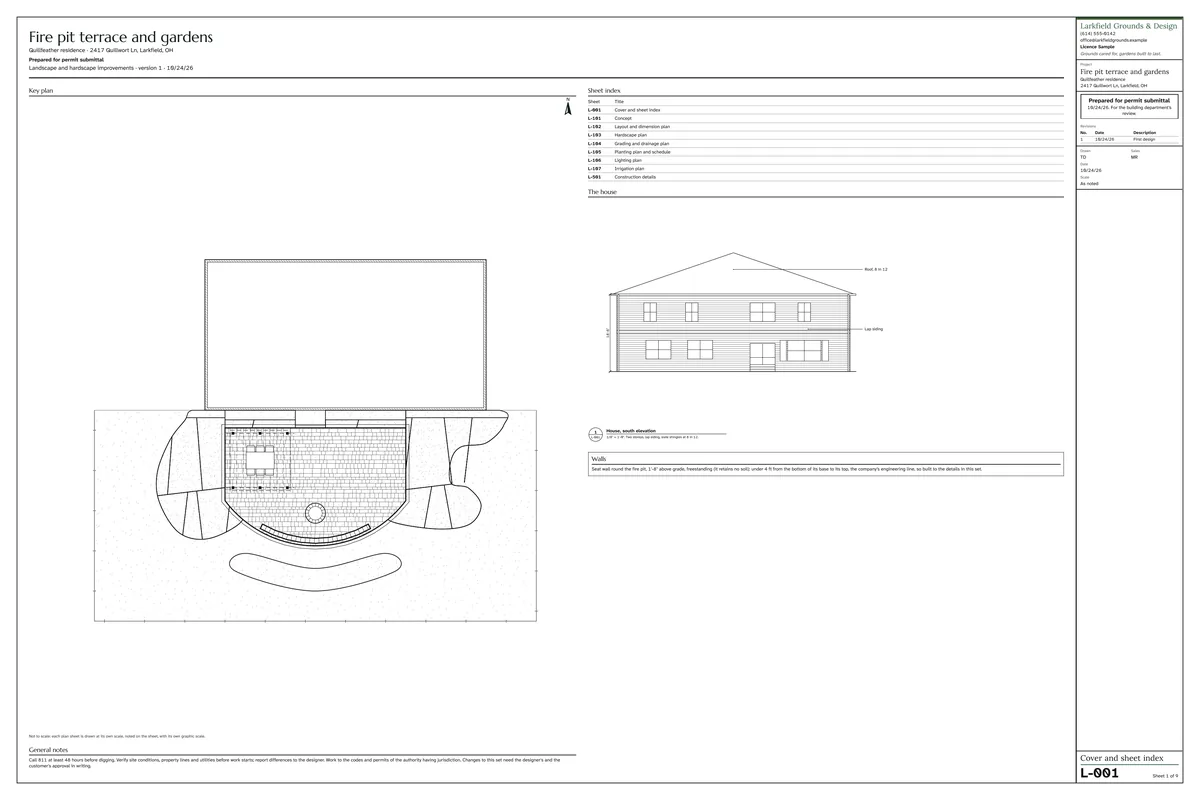
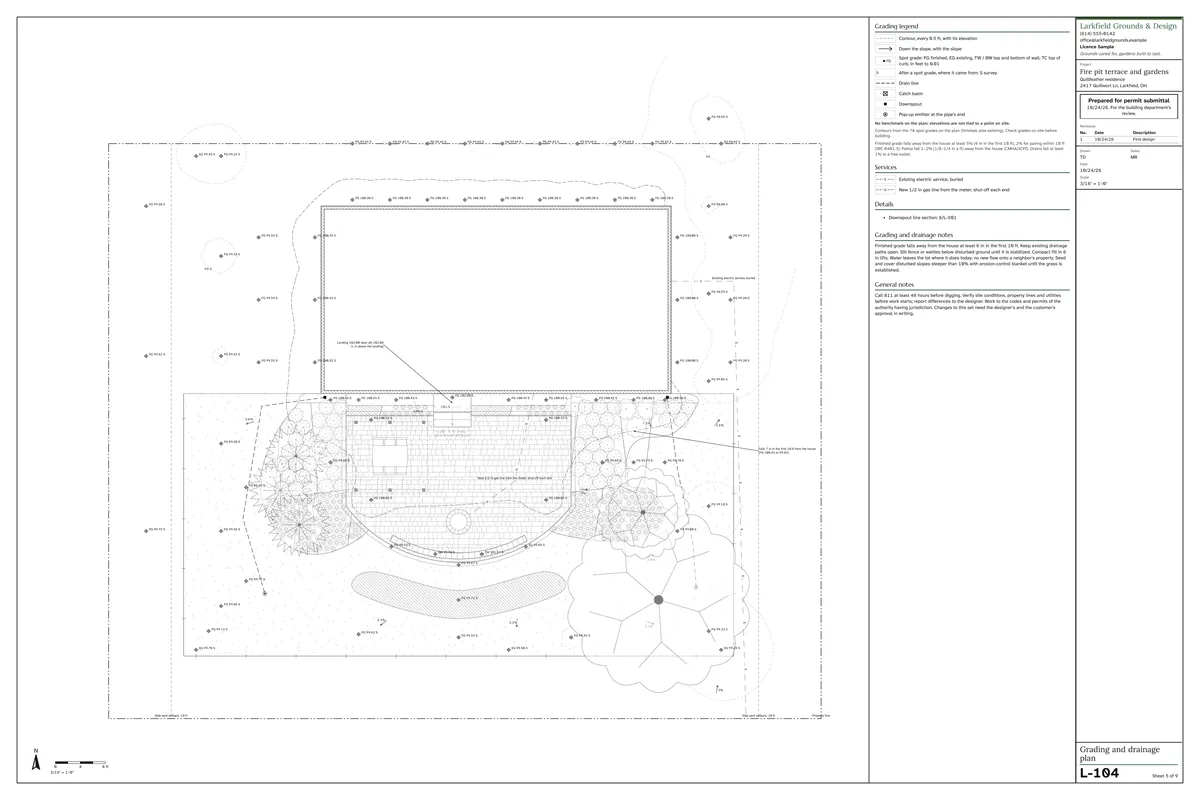
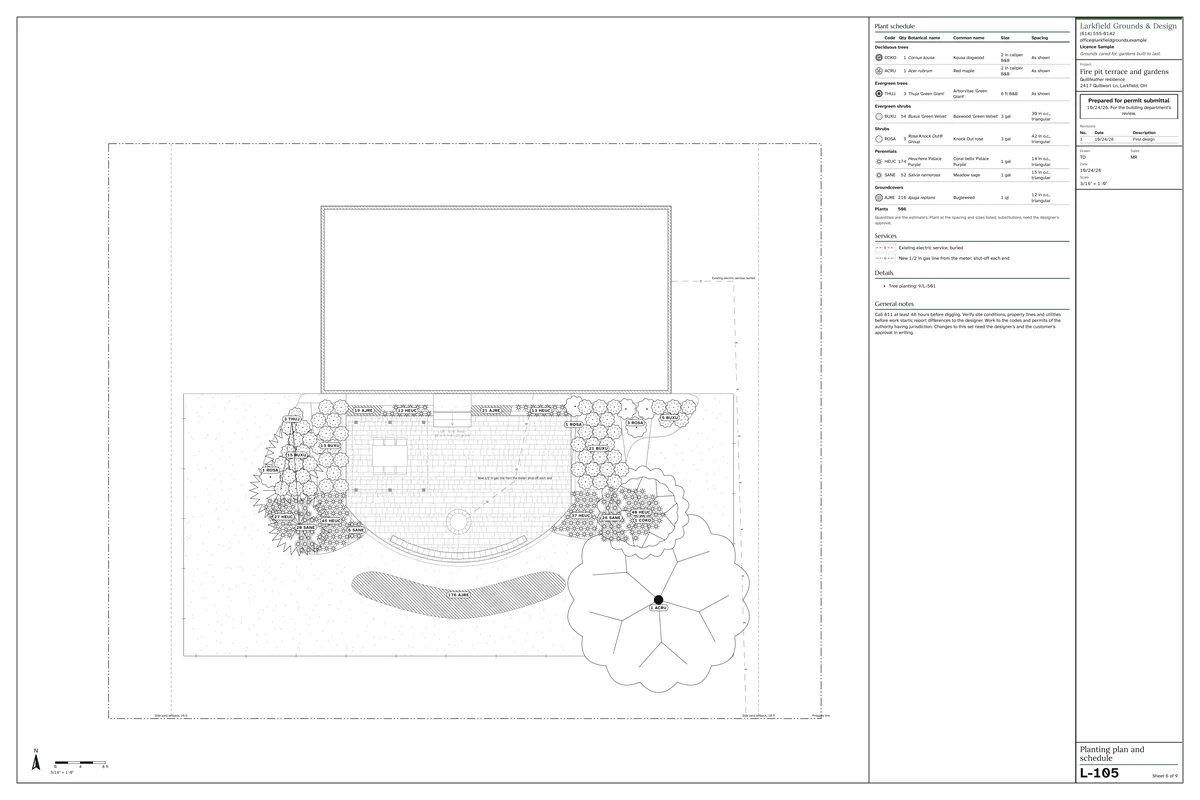
The same plan prints as a scaled drawing set prepared for permit submittal, with a DXF for your engineer.
Once signed, the job moves to the schedule, the crew’s phones, the purchase list and job costing, and is invoiced when complete.
Quality control
Capstone reviews every plan the way an experienced designer would, and explains each issue with the rule behind it.
A fire pit terrace and gardens, designed, priced and documented in Capstone: the 3D views, the plan through the seasons, the estimate, a walk-through and the full drawing set to download.
| What you need | Business software | A design program | Capstone |
|---|---|---|---|
| Estimates, scheduling, the crew’s day, billing | Yes | No | Yes |
| A plan drawn to scale | No, with few exceptions | Yes | Yes |
| The price from the drawing | No | No: a takeoff to export | Yes, from your kits |
| 3D and pictures for the customer | No | Yes | Yes |
| Construction sheets and a DXF | No | Yes | Yes |
| Renewals priced to your margin | Yes, in some | No | Yes |
Typical of each kind of program, from the makers’ own published information, October 2026.
Capstone imports the customer, property and service lists you export from Jobber, LMN, Aspire, Service Autopilot, SingleOps and QuickBooks, and shows a preview before anything is saved.
Questions go straight to the people who build Capstone, and every email is answered within one business day. Setup starts from your own exported lists, so your customers are in place from day one.
Priced by the number of crews, with every user and the 3D designer included. No setup fee, and no Capstone fee on card payments.
We share the figures when we follow up after your demo.
Capstone Landscape Software · Columbus, Ohio · support@capstonelandscapesoftware.com · Replies within one business day.
Capstone is priced by the number of crews, with every user and the 3D designer included. There is no setup fee and no Capstone fee on card payments. We share the figures when we follow up after your demo.
You receive an email with a link to Capstone set up as a working landscape company, with a short guided tour. The link arrives right away, stays open for 14 days and needs no card. We follow up once, by email or phone, to answer questions and share pricing.
No. Choose month to month and cancel any time, effective at the end of the month, or pay annually and receive two months free. If Capstone isn’t the right fit, your first month is refunded.
You do. Export everything at any time. When you close your account, your data is permanently deleted within 7 days. If a plan is canceled, a trial ends unpaid, or a payment is more than 14 days late, your account becomes read-only for 90 days so you can export your data, and is then deleted.
Yes. Each billing batch exports to QuickBooks Online or Desktop, and Capstone imports your existing customer and service lists from QuickBooks when you switch.
Crews use Capstone in their phone’s browser, with nothing to install. They see only their own day, and it keeps working where the signal drops.
Across the United States. Address lookup, aerial imagery, building outlines, elevation and sun studies work anywhere in the country.
Yes. Storms are logged by site, with arrival and departure times, every return push, salt and ice melt, and before-and-after photos. The storm log prints for a property manager or an insurance claim. Bill seasonally, per storm or per push.
Setup starts from your own data. Capstone imports the lists you export from Jobber, LMN, Aspire, Service Autopilot, SingleOps or QuickBooks, and shows a preview before anything is saved.
Ask for the demo and you’ll receive a link to Capstone set up as a working landscape company, with a short guided tour. The link arrives by email right away, stays open for 14 days and needs no card. We’ll follow up with pricing.